How to replace the Galaxy Buds 3 Pro eartips
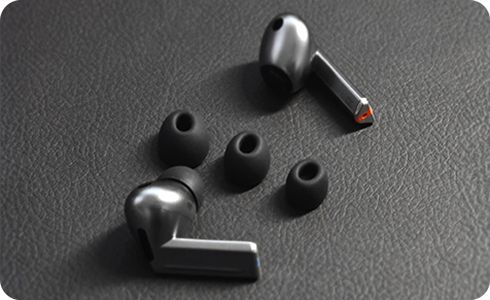
How to Replace the Galaxy Buds 3 Pro Eartips?
When changing your eartips on the Galaxy Buds3 Pro, make sure you choose eartips that fit your ears properly and follow the correct replacement steps to avoid damaging the components.
Important Precautions Before Replacing Eartips
Please be careful not to use fingernails when you attach or detach eartips from earbuds, as this may cause the eartips to tear.
Do not forcefully press or twist the eartips, as this may cause damage.
Do not yank off the eartips, as this may cause them to tear.
If an eartip gets caught in the gap on the earbud exterior while attaching, remove it and try again.
Do not wear earbuds without eartips attached, as this may cause injury to your ears.
Step-by-Step Instructions to Change Eartips
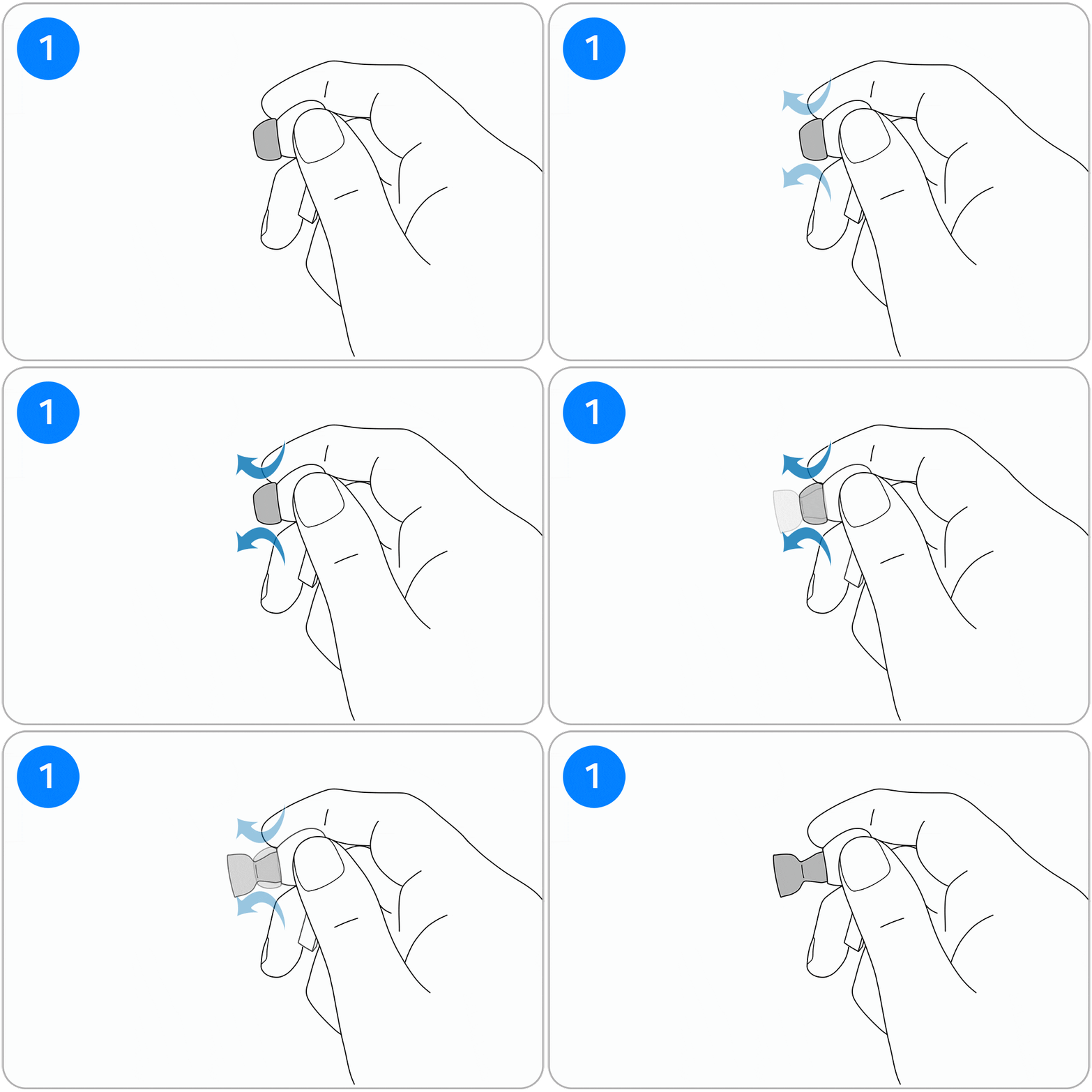
- Step 1. Invert the eartip attached to the earbud: Hold the main body of the earbud and invert the eartip using your other hand.
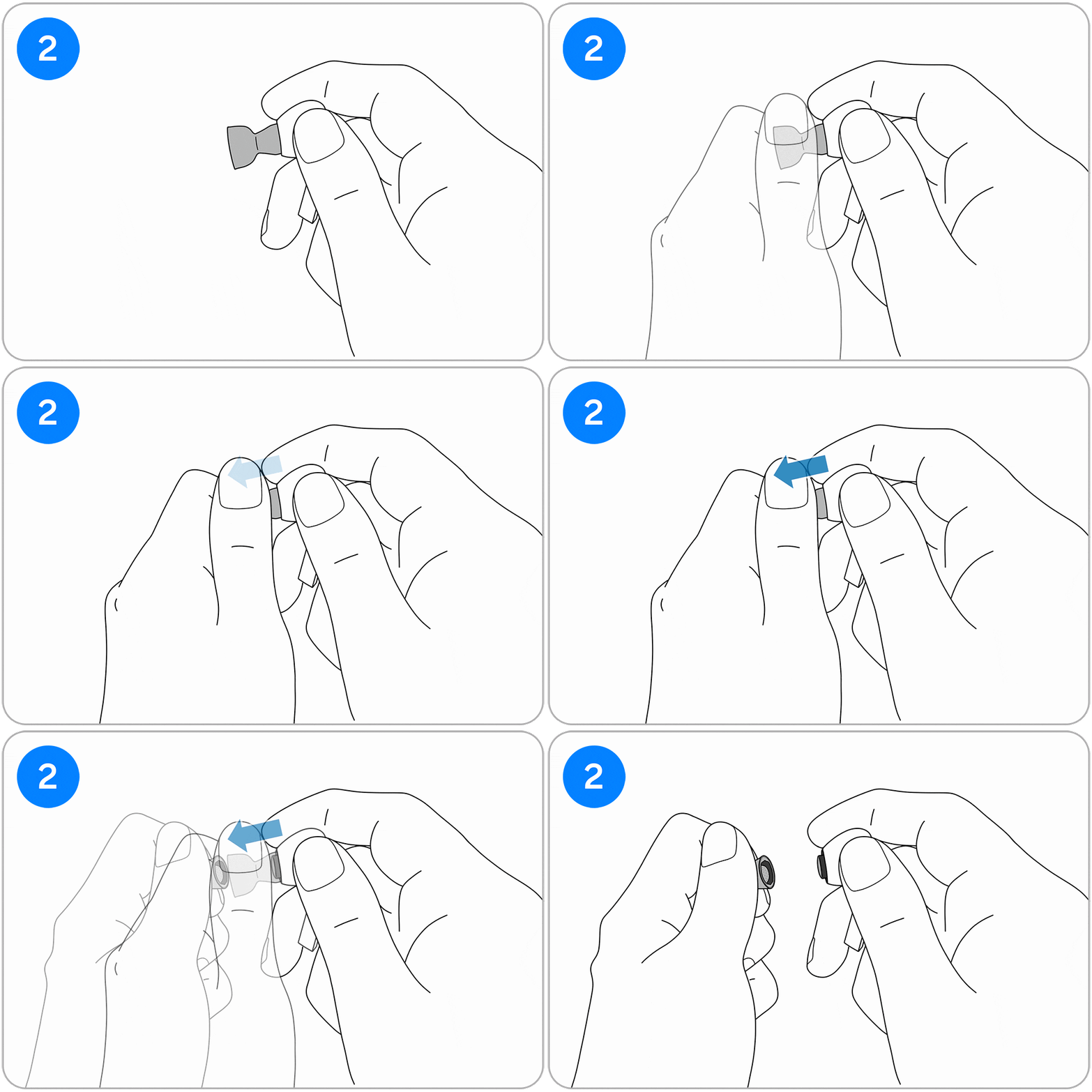
- Step 2. Grab the entire eartip and pull it out to detach: Be careful not to use your fingernails when grabbing the inverted eartip.
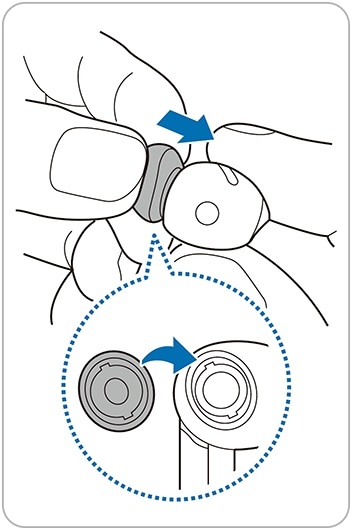
- Step 3. Attach the new eartip: Choose an eartip that fits your ears, align the earbud speaker with the groove on the eartip, and push it in until you hear a click.
Supported Models
Samsung Galaxy Buds3 Pro
Note: For further assistance or questions, please contact Samsung support.
Thank you for your feedback!
Please answer all questions.