Why Samsung
Smart TV?


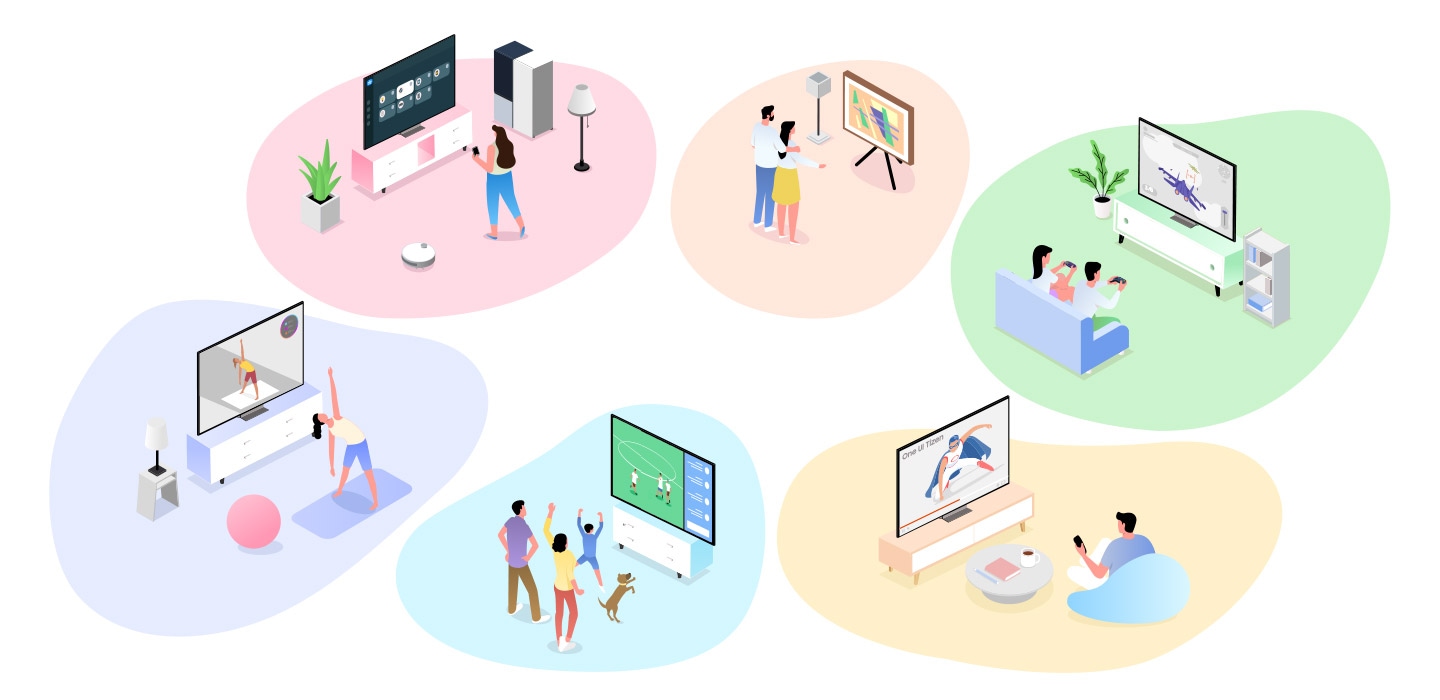
Samsung Smart TVs bring entertainment and connectivity
together in one seamless experience powered by One UI Tizen1.
Stream content, play games and share with ease using built-in smart features,
or connect to SmartThings and make your home smarter than ever.
Samsung Smart TVs bring entertainment and connectivity
together in one seamless experience powered by One UI Tizen1.
Stream content, play games and share with ease using built-in smart features,
or connect to SmartThings and make your home smarter than ever.



Samsung Vision AI
Samsung Vision AI2 transforms your TV into a smarter companion that understands your needs and adapts to your lifestyle. From thrilling games to unforgettable movie nights, moments become richer, sharper and more personal. Step into a new way of living. Experience Samsung Vision AI.
Effortless navigation at your fingertips


One UI Tizen
Make your TV experience fast and personalized. Samsung One UI Tizen1 allows you to access your favorite apps with ease, navigate features with a simple and intuitive interface, and customize your home screen to fit how you watch and use your TV. With up to seven years of Tizen OS upgrades, continue enjoying the latest Samsung smart features and innovations over time.


Enjoy countless apps right on your TV


Samsung TV Apps
Transform your TV into an entertainment hub with app downloads. Whether you're watching movies or diving into gaming, enjoy it all seamlessly on a larger display.


Control your smart home devices, all from your TV


Smart Home
Simplify your daily tasks by managing your smart home directly from your Samsung Smart TV. With the built-in SmartThings Hub, you can control compatible devices and monitor energy usage from one seamless interface to create a more convenient home experience.4


better together


Connect Phone
Watch your mobile content on a bigger screen with seamless phone-to-TV connectivity. Connect your smartphone to your Samsung Smart TV to mirror videos5, apps and photos, or use your phone as a convenient remote control6 for a more connected entertainment experience.


SolarCell Remote
Reduce battery waste and simplify control with the SolarCell Remote7. Rechargeable through light and equipped to control your Samsung TV and other compatible devices, it enables a more convenient, streamlined browsing experience without the need for disposable batteries or multiple remotes.


Explore Smart TVs
-
Overview
-
Screen Size
| table product |


|


|


|


|


|


|


|
|---|---|---|---|---|---|---|---|
| Overview | The answer to greatness | The answer to ultimate immersion | The answer to absolute clarity | The answer to true immersion | The answer to your thrilling moments | The answer to your dynamic moments | The answer to your artistic style |
| Screen Size | 130/115/100/85/75/65/55" | 83/77/65/55/48/42" | 85" | 100/85/75/65/55/50/43" | 100/85/75/65/55/50/43" | 98/85/75/70/65/58/55/50/43" | 98/85/75/65/55/43" |
| table item cta |
Is it too difficult to choose your TV?


Discover more of Samsung Smart TV
You will need a Samsung account to access Smart Hub, our network-based smart service that includes apps (e.g., streaming service apps) and our other smart features available through your device.
There are various benefits when you log in to your Samsung account.
Brings you the best apps
Hundreds of apps are available for free download and auto-updating.
Link your account directly from your Galaxy phone, and enjoy the TV experience straight away.
Easy connection through mobile phone and no need for additional app settings anymore with the backup feature when sign-in.
* Downloaded app lists and their order will be restored.
Smart daily life, Bixby8
Ask Bixby to show recommendations, to make quick searches or to control connected devices.
All you need is just to say ""Hi, Bixby"" and then you will get it on your screen.


* Images simulated for illustration purposes. Any changes in UI or appearance and design specifications may occur without prior notice. UI may vary by region.
* The detailed specifications may vary depending on the model or region, so refer to the product details page for more information.
* This page may include images or videos created using AI.
1. One UI Tizen: Content and services may vary by region and are subject to change without notice. Agreement to Smart Hub Terms and Conditions and Privacy Policy is required before use. Some content and services require registration and subscription. Requires Samsung account. Tizen OS upgrades are available for up to 7 years from the product’s release year starting in 2023, regardless of purchase date. Availability, features, contents, apps and services are subject to change without notice and may vary by product, model or region. The upgrade does not cover hardware related performance, features or durability. Requires internet connection. Data charges may apply.
2. Samsung Vision AI Companion: For illustrative purposes only. Feature available in certain regions and models. Availability, supported features and user interface may vary by country, region, model and viewing conditions. Voice commands recognize English, French, Spanish, Portuguese, German, Italian and Korean, but not all accents, dialects and expressions are recognized. This feature provides AI-created content, with accuracy not guaranteed — please check results. Requires certain Bluetooth remote (sold separately on some models). In-box remote for some models does not support voice recognition. Requires either a Mobile Quick Remote or separately purchased Bluetooth remote.Feature accessible via the AI button, or the Home button (long press) on remote control without an AI button.
3. SmartThings: Images simulated for illustration purposes. Available technology, functions and features may vary by country, service provider, network environment or product, and are subject to change without notice. Requires a Wi-Fi, Bluetooth or other wireless network connection and login to Samsung account. Connected devices are sold separately. Built-in SmartThings Hub support may vary by model. S95H series and above support Zigbee and Thread (for Matter) and M80H series and above require a separate Zigbee and Thread (for Matter) dongle. UI is subject to change without prior notice.
4. Mirroring: To use the Mirroring feature, your mobile device must support Screen Mirroring or Smart View. iOS devices use AirPlay. This feature is supported on Tizen OS-based Smart TVs released in 2015 and later and requires the TV to be logged in to a Samsung account. Certain third-party apps and services may be limited in the use of this feature according to their policies.
5. Quick Remote: Push notifications for mobile remotes for TVs are available on (Mobile) Android OS 10.0 and higher versions with (TV) 2020 Samsung TVs and later models, and operate when the mobile device is near the TV. Samsung Smart TV feature access is available on (TV) 2024 Samsung TVs and later models with (Mobile) Android OS 10.0 and higher versions or iOS 15.0 and higher versions.
6. SolarCell Remote: The availability of the SolarCell Remote varies by TV model. The design and button layout of the SolarCell Remote may vary depending on the region and model. Support for button functionality may be discontinued at any time without notice. To charge the remote with solar energy, set the TV remote down with the solar panel facing up. Place it in your living room while your lights are turned on, or you can place it near a window where it will soak in natural sunlight. In case the remote's battery is depleted, you can charge it using a USB-C cable. To check the remaining battery level of the remote control, refer to the TV Menu (Settings > General & Privacy > Power & Energy Saving > Available Remote Battery).
7. Bixby: Voice commands and multi turn is supported for 10 languages (en_US/ko_KR/en_GB/de_DE/fr_FR/it_IT/es_ES/en_IN/pt_BR/es_MX). Not all accents, dialects and expressions recognized.
