How to factory reset the Samsung Jet Bot Combo
Last Update date : Aug 13. 2026

If your Samsung Jet Bot Combo is not working properly, you can try performing a factory reset. This will return the Jet Bot Combo to its factory defaults and remove any issues that may be occurring.
Performing a Factory Reset
Follow the instructions below to reset your Samsung Jet Bot Combo to its default settings.
1
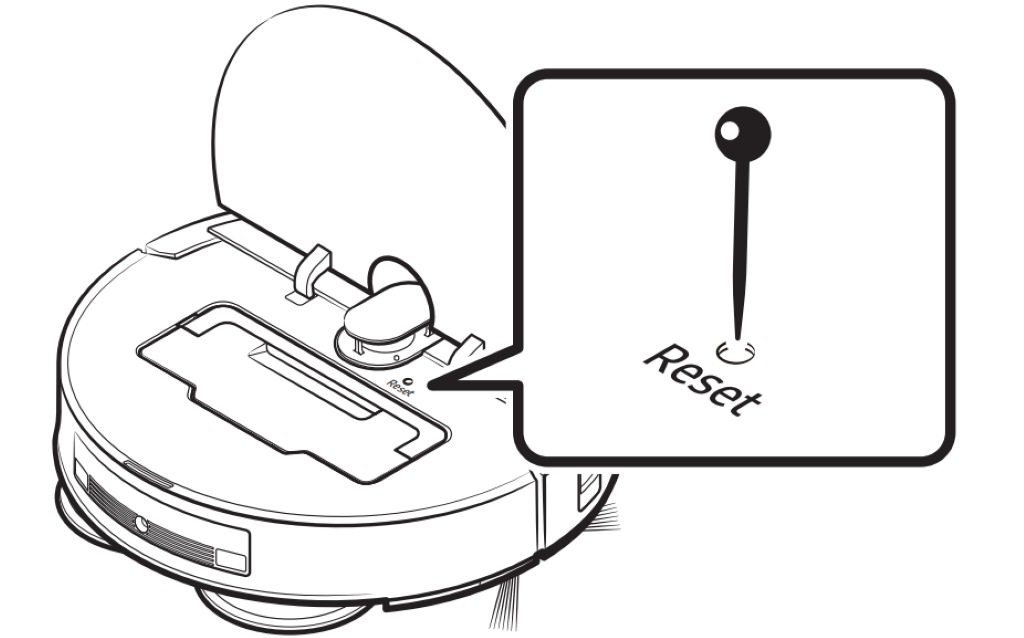
Use a clip or needle to press the Reset button, which is accessible when you open the Top Cover. When the button is properly pressed, you should feel a click.
![]()
2
The Start/Stop and Charging buttons will blink white, and the factory reset process will begin.
3
When the process is complete, the Jet Bot Combo will automatically restart.
Reconnecting your Jet Bot Combo to the SmartThings App
![]()
![]()
![]()
![]()
![]()
![]()
Step One
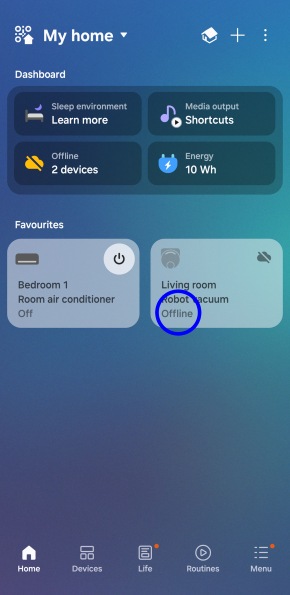
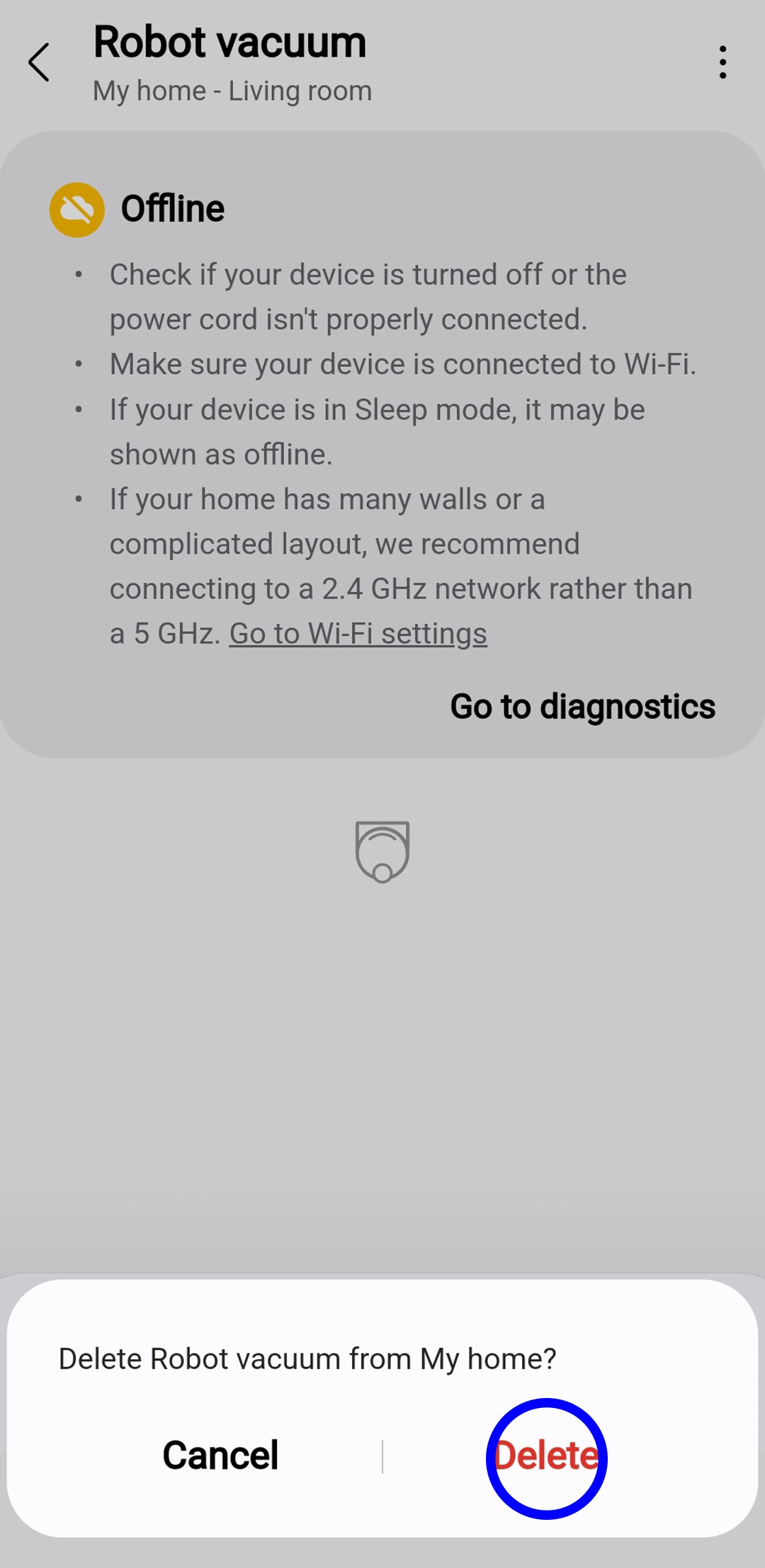
Once the reset is complete, Jet Bot Combo will appear Offline in the SmartThings app.


Step Two
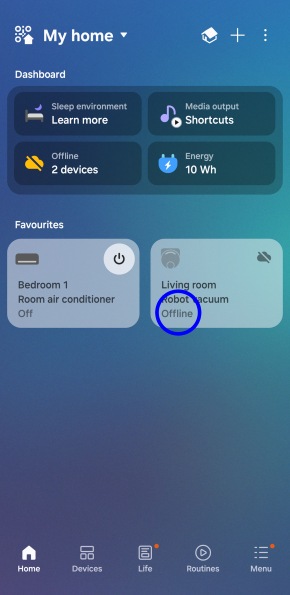
Select the Robot vacuum from the home screen on your SmartThings app.


Step Three
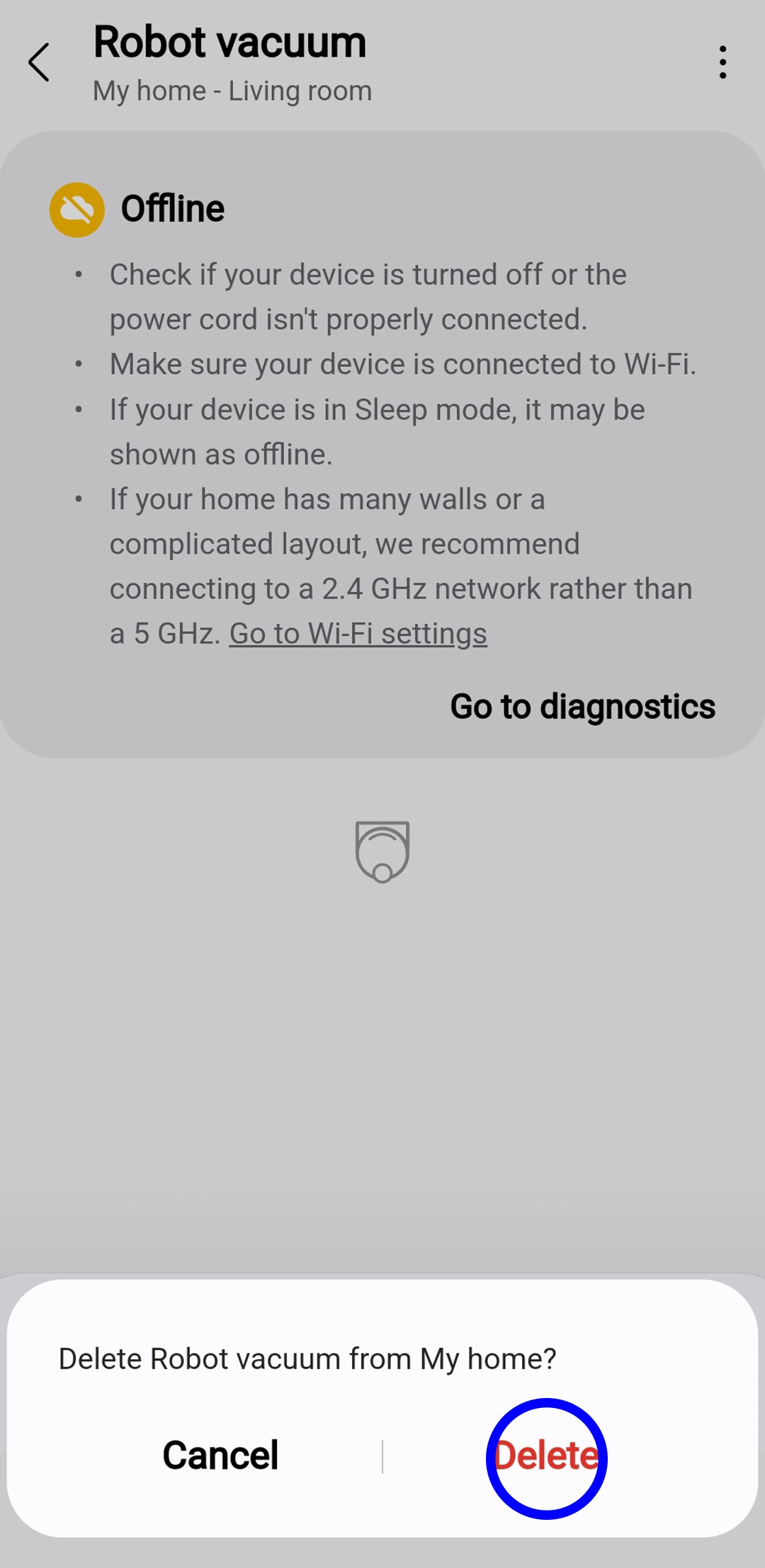
Select the 3 dots from the top right corner and select Remove device from the drop-down menu.
For further assistance, please contact our Chat Support team. To find your Samsung product's User Manual, head to Manuals & Downloads.
Thank you for your feedback!
Please answer all questions.
Contact Info
Contact us
For support buying a product, help with an order or technical product support
WhatsApp
![]()
![]()


It's now even easier to get in contact with Samsung Customer Care, now on WhatsApp.
Troubleshoot and book a repair
Support for your mobile devices, home appliances, TV and computing products