Setting Up the Water Tank for a Non-Plumbed Refrigerator
 Please Note: The information on this page is for Australian products only. Models, sequences or settings will vary depending on location and/or where the product had been purchased. To be redirected to your local support page please click here.
It’s easy to start entertaining with freshly made ice and chilled water. Follow the steps below to see how to setup the water tank of your non-plumbed fridge.
Please be advised that this guide applies to Samsung Refrigerators with a non-plumbed water and ice dispenser. If you have a different fridge, please refer to your user manual.
Preparing the Water Tank
The water tank in your non-plumbed fridge creates chilled water and ice. Here's how to prepare it for the first time. The location of your water tank may vary depending on your model, but most fridges are one of two types.
Type 1 - Central Tank
This tank is usually in the middle of the bottom section/shelf inside your fridge.
Type 2 - Door Tank
This tank is located in either the left or right door of your fridge.
*For first-time use, clean the inner side of the water tank and dry well.

CAUTION: Do not exceed the the max line, as water will overflow.
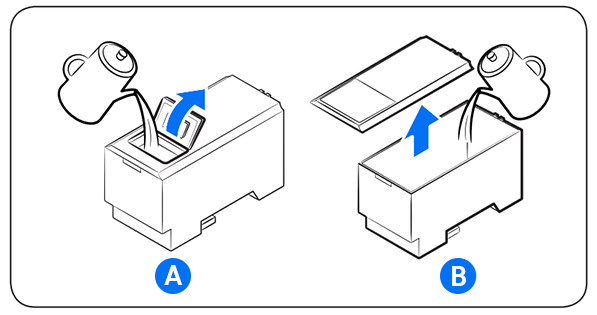
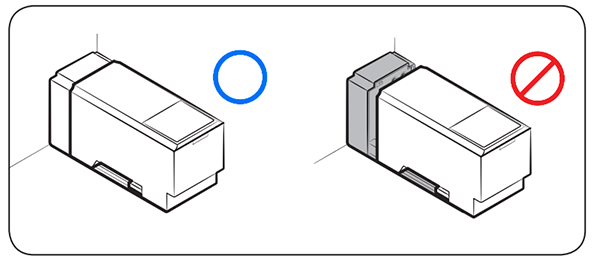
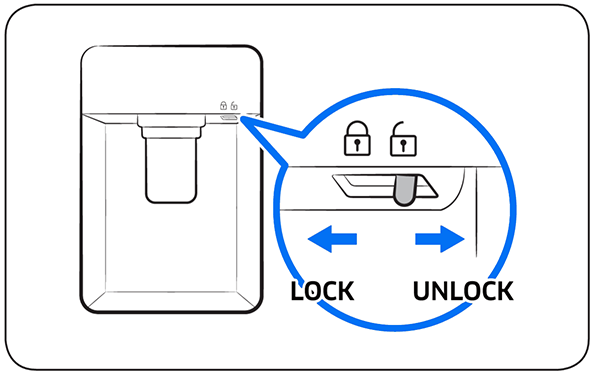
Push the dispenser lever for 10 seconds to emit air from the hoses of the water supply system.
Discard the first six glasses of water to remove impurities.
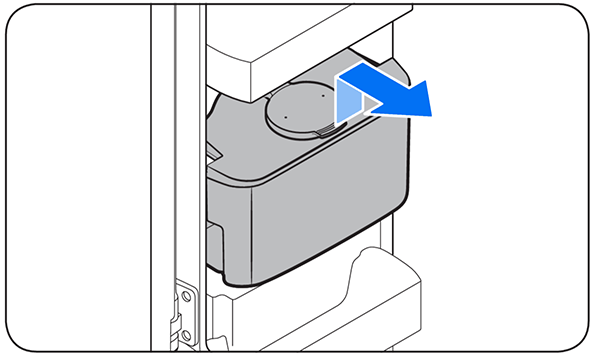
*For first-time use, clean inside the water tank.
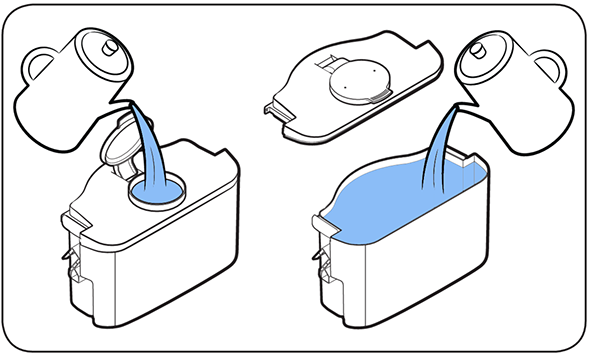
CAUTION:
- The water dispenser is designed to dispense potable water. Fill the water tank only with potable water only. Do not fill with any other liquids.
- Do not fill the water tank excessively, as it may cause an overflow.
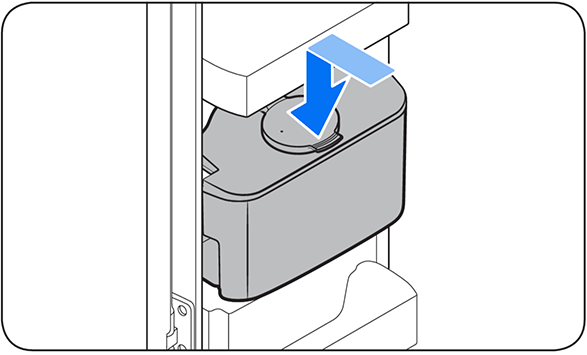
- Do not try to fill the water tank without removing it from the door.
- Make sure that the water tank is secured properly.
- For non-plumbed fridge model water tanks, a water filter is not needed.
- Do not use the refrigerator without the water tank. This may reduce performance and efficiency.
- To prevent water bouncing, make sure the glass is in line with the dispenser lever.
For further assistance, please contact our Chat Support . To find your Samsung product's User Manual, head to Manuals & Downloads.

Thank you for your feedback!
Please answer all questions.
Contact Info
Contact us
WhatsApp
![]()
![]()

